Hero Landscape

Retail Express

Retail Accounting Software Integration for Xero & MYOB

Retail Express connects your POS and inventory data directly to Xero and MYOB. Automate daily bookkeeping with scheduled sync for sales, payments and stock movements, then verify every figure with specialised accounting reports.

Common pain points

Disconnected retail and accounting systems create financial risk

Manual reconciliation

Spending days every month manually matching POS reports to bank statements is slow and prone to errors that hide your true profit.


Inventory value drift

Without automated journals, your inventory value in your accounting software often drifts away from your actual stock on hand.

Month-end stress

Scrambling to fix data entry errors and mismatched totals at the end of the month delays your financial reporting and business decisions.

Retail Express

How to choose the best POS system

Z01 Xero Myob Cloud
Automated daily sync

Xero & MYOB cloud integrations

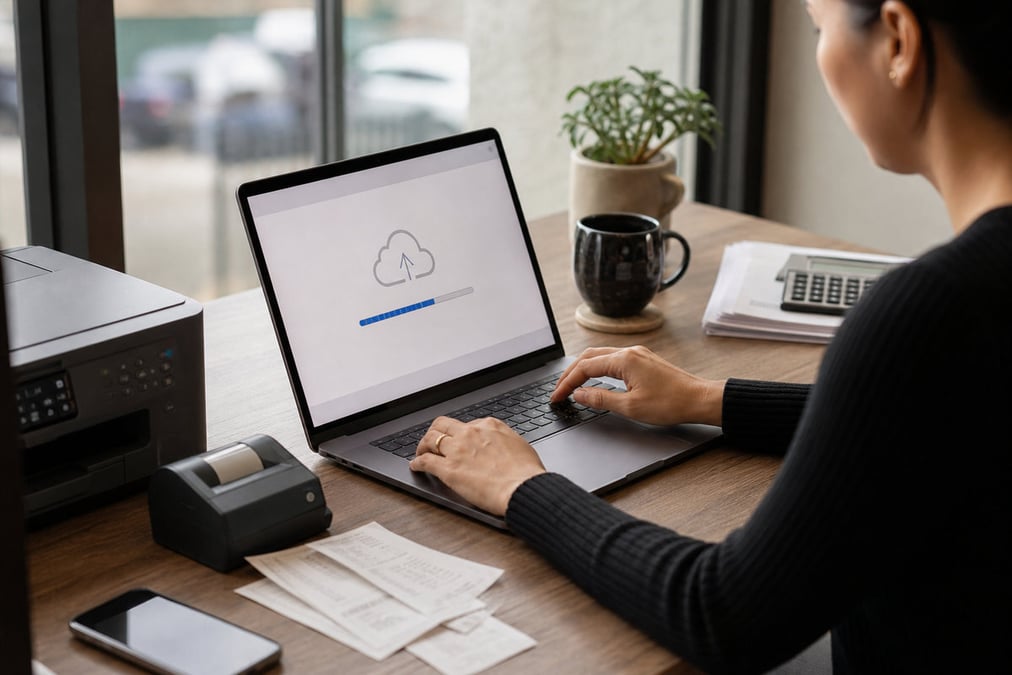
Retail Express provides native cloud connectors for Xero and MYOB AccountRight online. Once configured, the system automatically synchronizes your previous day's trading data every morning. This includes sales, laybys, customer account movements and COGS, ensuring your accounting software is always up to date with your actual store performance.

Book a demo
Z02 Accounting Reports
Trust your numbers

Accounting reports for verification

Transparency is the core of our accounting solution. The Retail Express Accounting Reports suite, led by the Financial Summary Report, allows you to verify every figure before and after it reaches your accounting package. You can drill down into income, payments and stock movements to investigate and resolve any discrepancies quickly.

Book a demo
Z03 Stock Cogs Journals
Accurate balance sheet

Automated stock & COGS journals

Keep your inventory value accurate without manual adjustments. Retail Express automatically syncs journals for stock adjustments, inter-store transfers and purchase receipts. This ensures your Cost of Goods Sold (COGS) and inventory asset values in Xero or MYOB reflect your real-time stock levels and buy prices.

Book a demo
Z04 Multi Store Tracking
Scale with visibility

Multi-store & tracking categories

Manage multiple stores from a single accounting company file. Retail Express supports Xero tracking categories and MYOB Jobs, allowing you to map each store to a specific branch in your ledger. This gives you the ability to run detailed profit and loss reports for every location, helping you identify your most profitable stores.

Book a demo
Z05 Manual Export
Flexible data control

Manual export & file control

For retailers who prefer manual control or use desktop accounting software, Retail Express offers robust data export features. You can generate MYOB-compatible files or use the Financial Summary Report to create manual journals. This gives you the flexibility to manage your books on your own schedule while still benefiting from automated data preparation.

Book a demo
z06 month end eofy
Faster financial closes

Streamlined month-end & EOFY

Reduce the time it takes to close your month-end and EOFY. With automated data flow and built-in verification reports, your bookkeeper can reconcile your accounts in a fraction of the time. This means faster financial reporting and more time for your accountant to provide valuable business advice.

Book a demo

Retail Accounting Software Integration for Xero & MYOB FAQ

Answers for retailers in Australia and New Zealand.

Manual re-keying of daily sales into accounting software slows month-end and creates reconciliation errors. Retail Express includes native retail accounting connections for Xero and MYOB AccountRight online, plus manual export options for MYOB desktop, so store trading data reaches your ledger without duplicate entry.

Yes. Retail Express provides native cloud integrations for Xero and MYOB AccountRight online. For MYOB Desktop or retailers who prefer file control, you can also use the Accounting Data Export.

Retail Express uploads daily store invoices (including sales, laybys and vouchers), payment summaries, purchase bills, supplier contacts, and journals for stock adjustments and transfers. Cloud uploads typically run each morning for the previous day's trading.

Map each Retail Express store to Xero tracking categories or MYOB Jobs so you can report P&L by location inside one company file.

It is the primary verification tool in Retail Express. Use it to break down retail transactions and cross-check POS totals against invoices, payments and journals that landed in Xero or MYOB.

Use the Retail Express Stock Value vs Sales report to reconcile Current Value Buy Ex against your inventory asset account, and use accounting journals for adjustments and transfers so the balance sheet tracks physical stock.

Accrual. Retail Express Xero and MYOB integrations record sales and purchases when they occur, which is how most Australian retail bookkeepers expect period reporting to work.

Use the Accounting Data Export for MYOB Desktop-style workflows, or export verification reports such as Financial Summary and upload on your own schedule.

No. You typically connect one accounting package per business entity in Retail Express. Choose Xero or MYOB during solution design based on your bookkeeper and chart of accounts.

Layby and debtor movements are included in the daily store invoices uploaded by Retail Express. Use Accounts Receivable and Financial Summary reports to verify balances against Xero or MYOB.

Book a demo

Reconcile retail books with verified POS data

Automate daily Xero or MYOB uploads from Retail Express, then cross-check with accounting reports your bookkeeper can use.