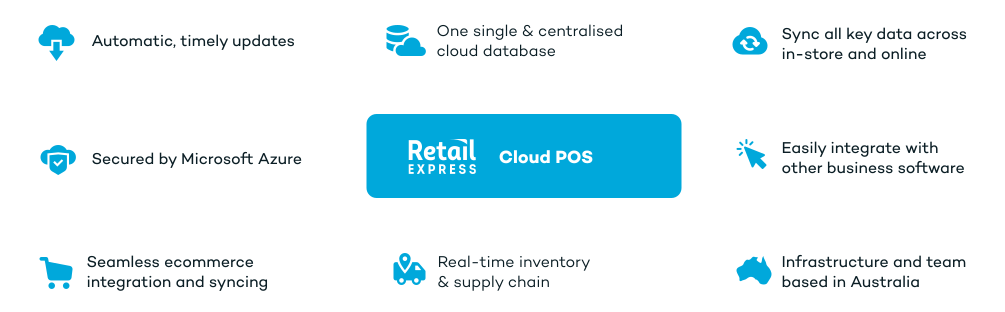
A cloud POS system is point of sale software that runs in a web browser instead of on a server in your store. Sales, stock and customer data are kept in one central system, so every register, store and online channel works from the same up-to-date information.
FEATURES > CLOUD POINT OF SALE
Cloud-Based POS System for AU & NZ Retail
Improve business processes, save time, and increase revenue with a cloud-based POS system that's easy, fast and scalable.
Loved by thousands of retailers in Australia & NZ
COMPARISON
Cloud POS vs traditional (on-premise) POS
A traditional POS runs on software and a server installed in your store. A cloud POS runs in a web browser and keeps your sales, stock and customer data in one central system. Here's how the two compare, and how Retail Express handles each point.
Offline POS is installed once per store on a Windows PC. Some features, such as stock levels, lay-bys, vouchers and loyalty, need a connection. Information checked November 2026.
Want to be lean, agile and omni-channel? Only a true cloud platform can help.
There's a reason everyone has switched to the cloud. Installed software and databases in every store location & head office is guaranteed to hold back your growth.
-
Be able to access live, precise data with no more data delays or corruption.
-
No need to go through complex update and release processes.
-
Stop paying an arm and leg for licences and maintenance costs with zero support.
-
No longer need to spend time and money managing servers & other IT infrastructure.
-
Easily integrate with a range of other cloud business software applications.
-
Stop struggling to adapt to eCommerce with limited integration capacities.
Switch to flexible, cloud-based POS software. Cut costs, save time and make more money with Retail Express.
Run your business, not expensive IT infrastructure.
- No software or expensive servers to install and maintain.
- Reduce the cost of ownership and focus your IT team on adding value rather than managing infrastructure.
- Set up your POS without long complicated procedures.
- Automatically get access to the latest features and upgrades – without any IT actions needed on your part.
- Manage your inventory and fulfilment more efficiently and eliminate slow manual processes.
Get real-time data across all channels and unify your eCommerce operations.
- Get a centralised view of your operations across all your sales channels and say goodbye to double-selling, inventory errors, data entry and complex calculations.
- No more risks of data corruption, polling or delays.
- Scale your business with faster payments, better integrations and all-inclusive, 7 day support.
- Work off a single source of truth and make accurate, informed business decisions.
Roll out new stores in less time, without the hassle.
- Set up your new outlet, warehouse or pop-up store rapidly - all your data is instantly accessible via the browser.
- No need to install software or on-premise servers in each new outlet.
- No need to pull in your IT team with each new store setup, saving you time and money.
Partner with the world’s first cloud-based retail POS
We've been at the forefront of innovation since the beginning.
Retail Express was the world’s first cloud-based POS platform, purpose-designed by an Australian retailer.
Get on the fast track to success with a software that gives you the right features to scale, at the right time. Lead in your industry with a leading software.
Deliver the best customer experience across all channels
Cut down on duplicate work and meet your customers wherever they are. Reduce lost sales and increase your margins with Retail Express.
Cloud POS System FAQs
Answers for retailers in Australia and New Zealand.
A traditional (on-premise) POS is installed on each till and often needs an in-store server, which you update and back up yourself. A cloud POS is accessed through a browser, updates are handled by the provider, and multiple stores share one database instead of syncing separate systems.
Yes. Offline POS lets you keep trading for up to 7 consecutive days. You can scan products, apply discounts, take payments, add customers and print receipts, and sales sync automatically when you're back online. Offline POS is installed once per store on a Windows PC. Stock levels, lay-bys, vouchers and loyalty points need a connection.
With Retail Express, your data is held in your central Retail Express database rather than only on a shop PC. Each staff member logs in with their own user account, and profile security and outlet access settings control what they can see and do, for example hiding cost prices from staff.
Yes. Retail Express POS runs in Safari on an iPad, so staff can sell on the shop floor or you can add extra registers at busy times. An iPad can print receipts and use integrated EFTPOS through the hardware connected to another Windows PC in the store.
Yes, in Google Chrome. To use a receipt printer, integrated EFTPOS or label printing on a Mac, you need a virtual machine running Windows, such as VMware Fusion or Parallels. Without those devices, for example when emailing or printing A4 invoices, no virtual machine is needed.
A Windows 10 or 11 PC (Intel i3 quad core or better, 8GB RAM or more) running Google Chrome, plus the devices you use at the counter: a barcode scanner, an Epson-compatible receipt printer, a cash drawer connected to the printer and an EFTPOS terminal such as Tyro. See POS hardware for details.
Cloud POS is usually paid as a subscription rather than a large upfront licence. Retail Express is priced per location, with plans for different business sizes. See our pricing page for current plans.
Yes. All your outlets run on one Retail Express system, so you can see stock across stores, transfer stock between them and fulfil web orders from multiple locations.
Yes. The Shopify integration syncs products, customers and orders both ways between Shopify and Retail Express, so your online store and physical stores share the same stock and customer data.