Customer orders live outside purchasing
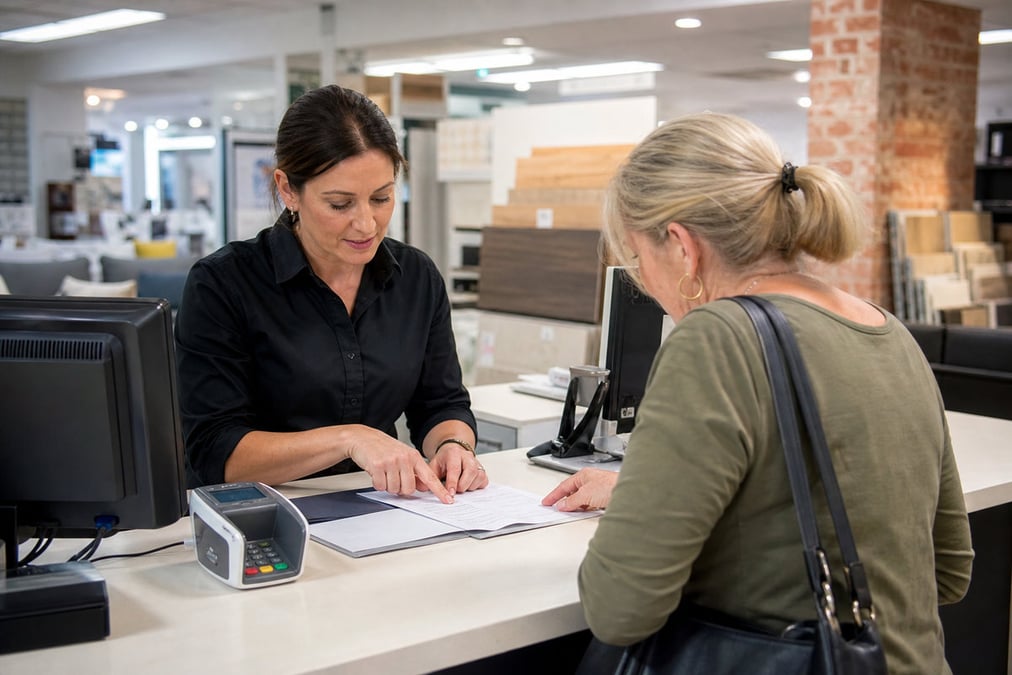
When staff take a deposit at POS but the supplier order is raised separately, buyers reorder the wrong qty or forget the sale entirely.
Retail Express
Retail Express special order workflows link the POS sale to supplier POs, transfers, and customer delivery, so made-to-order lines do not get lost between the till and the supplier.
Common pain points
When staff take a deposit at POS but the supplier order is raised separately, buyers reorder the wrong qty or forget the sale entirely.

PO status, transfer in transit, and customer due date sit in different screens, so follow-up calls and missed deliveries pile up.
Without allocation rules tied to the original sale, received stock goes to shelf while the waiting customer still has an open balance.
Retail Express
Mark any line as Special Order at POS, set fulfilment, due date, and deposit or full payment, then finalise. Retail Express creates linked incomplete POs. Not for Cash and Carry.
Book a demo →

Finalising creates Incomplete POs linked to the sale, one per source outlet and supplier. Review in PO Manager, consolidate if needed, then place on-order.
Book a demo →

Allocate a new sale to an existing On-Order PO when stock is already coming. Reallocate if the customer changes their due date.
Book a demo →

Received stock allocates to linked special orders by due date, then date committed. Transfers auto-create when source and fulfil stores differ. Back Order keeps links on one supplier invoice; POE Manager starts a new invoice and breaks links.
Book a demo →

Fulfil from Fulfilment Report or POS Fulfilment tab. The Special Orders Report shows PO, transfer, customer order, due date, and balance in one view.
Book a demo →Shopify
Ecommerce
Become truly omni-channel with the #1 integrated Shopify POS solution.
Xero
Accounting
Streamline your processes, introduce smart retail practices and make more informed ...
MYOB
Accounting
Streamline processes, introduce smart retail practices & make informed decisions with ...
Afterpay
Payments
Provide the experience and payment options today’s shoppers demand with our Afterpay - ...
zipPay
Payments
Offer Buy Now Pay Later solutions to your customers with direct integration to Retail ...
BigCommerce
Ecommerce
A design platform which lets you create stores that engage shoppers and make more sales.
Bike Exchange
Marketplace
The leading marketplace for bikes and accessories.
Blix
Analytics
Gives you walk-in and customer engagement numbers meaning you can assess performance ...
Answers for retailers in Australia and New Zealand.
When special orders are handled outside the POS, customer deposits, supplier purchase orders, and stock receipts get disconnected. Retail Express links the entire chain: taking the deposit at the till automatically creates the linked supplier PO, and receiving that PO automatically allocates the stock to the waiting customer.
In Retail Express, a special order is a POS sale marked "Process As Special Order". Finalising the sale creates linked incomplete purchase orders and tracks the line through receiving, transfers (if needed), and customer fulfilment. It is a made-to-order workflow built directly into your POS and inventory. Unlike layby and payment plans, special orders auto-create supplier POs tied to the sale.
Yes. Any product in Retail Express can be marked as a Special Order at POS via the Basket icon on the line. No separate product configuration is required.
No. Special Orders are not available for Cash and Carry fulfilment because the product is not available to dispatch immediately from existing stock.
One incomplete PO per unique source outlet and supplier combination. Two special-order lines from different suppliers create two POs. Lines added after finalise create a separate PO; consolidate in PO Manager before placing on-order if you want one supplier order.
Yes. Configure a separate Special Orders minimum deposit (dollar or percent) under Order Settings in POS Settings. Staff with Allow Override of Minimum Deposit security can override when approved. All fulfilled lines must be paid in full before the sale is complete.
Priority is earliest due date, then oldest date committed for ties, then partial allocation on short receipts. Lower-priority orders miss out if stock is insufficient. Stock routes to linked transfers when source and fulfil stores differ.
Choose Back Order on stock receipt to keep special order links on one supplier invoice, or POE Manager to raise a new PO with a new supplier invoice. POE Manager does not maintain special order links and needs manual management from that point.
Use the Special Orders Report in Inventory. Filter by customer, order number, PO number, fulfil store, or fulfilment status. Open linked PO, transfer, or order records from the report. Requires Special Orders Report security permission.
Special order workflow is included in your Retail Express subscription with POS and inventory. There is no separate special-order module fee. See pricing.
Special orders built into Retail Express for AU & NZ product retailers · book a demo